ComePay Register – ComePay App Download Guide (India)

Download the ComePay app for Android, register with your mobile number and OTP, log in, and buy or sell tokens directly via UPI. No deposit is needed to get started.
First Published: 28 October 2026 | Last Updated: 28 October 2026
| Details | Information |
|---|---|
| App Name | ComePay |
| Platform Type | P2P Token Trading & Wallet App |
| Earning Model | Trading commissions & referral rewards (results vary, not guaranteed) |
| Referral Commission | 1% Lifetime + Milestone Bonuses (per app terms) |
| Minimum Withdrawal | ₹100 – ₹200 |
| Login Method | Mobile OTP / Secure Password |
| Website | comepay.org |
| Payment Mode | Direct UPI (P2P – No Middleman) |
| Supported Devices | Android 5.0 and above |
| Registration | Mobile Number + OTP (Free) |
ComePay App Screenshots
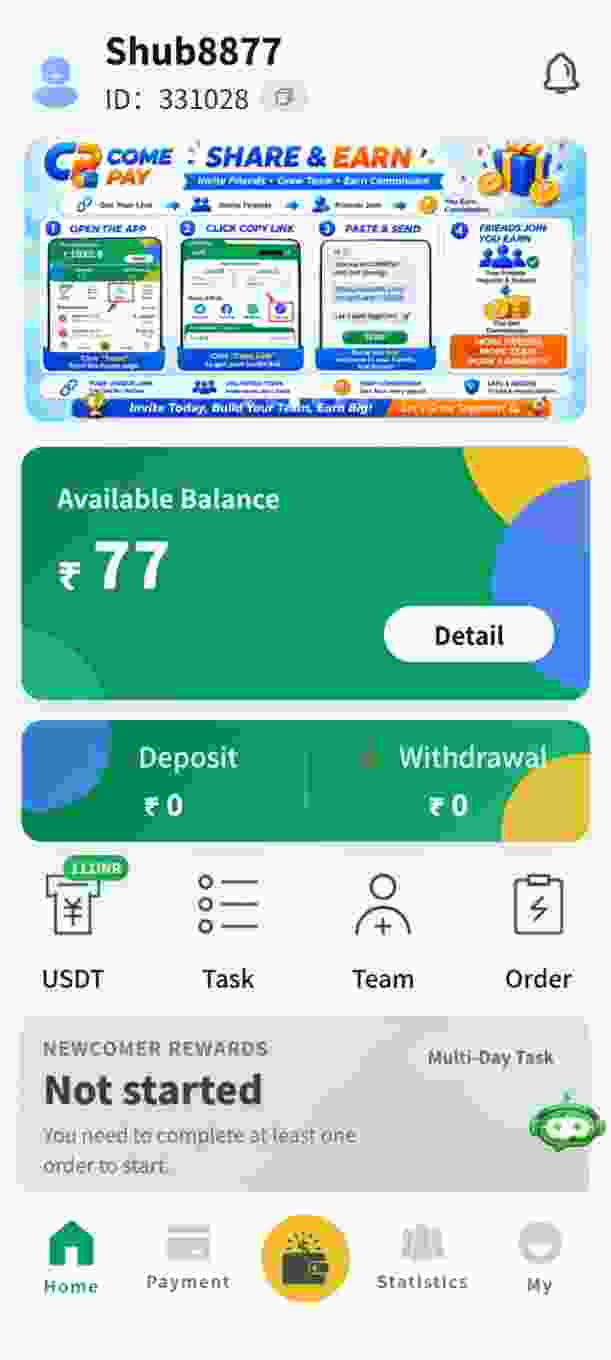
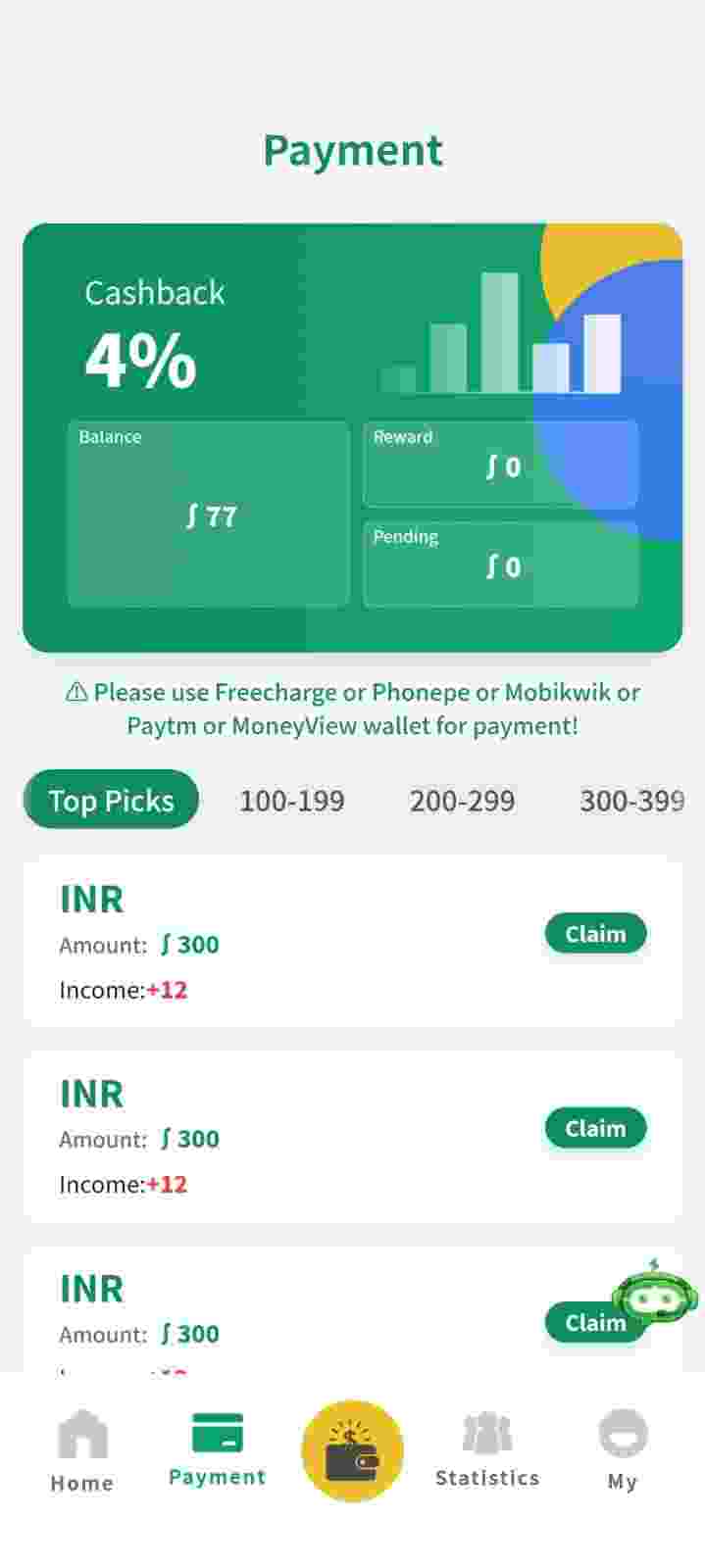
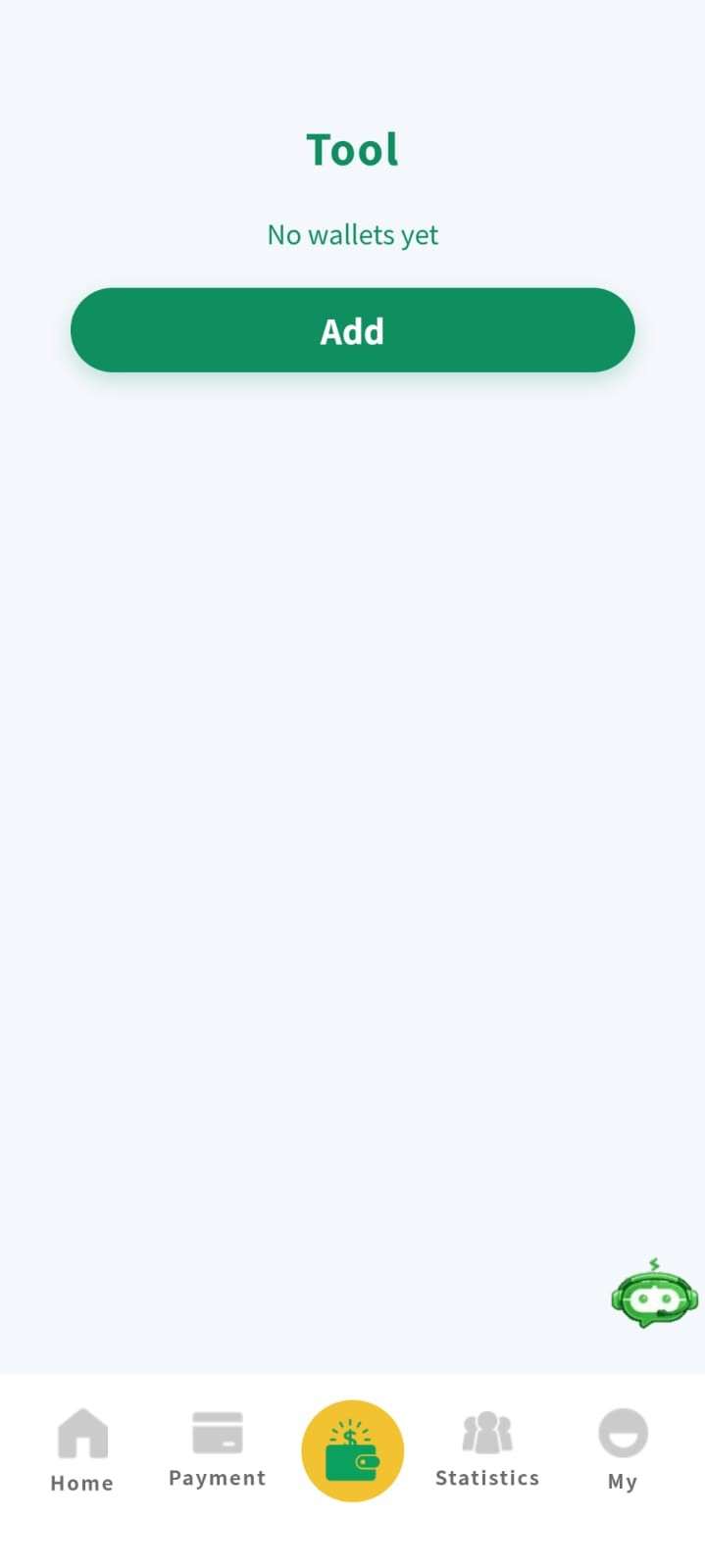
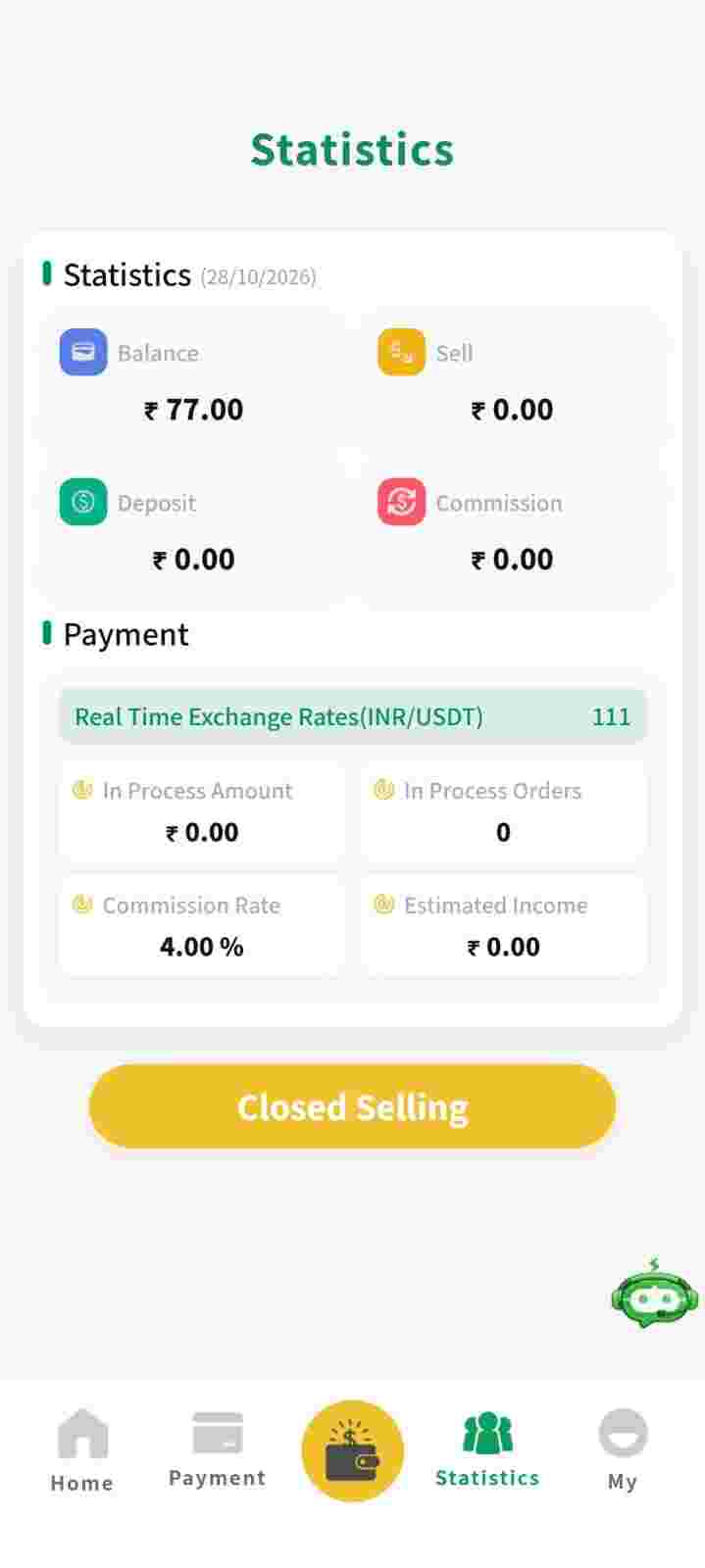
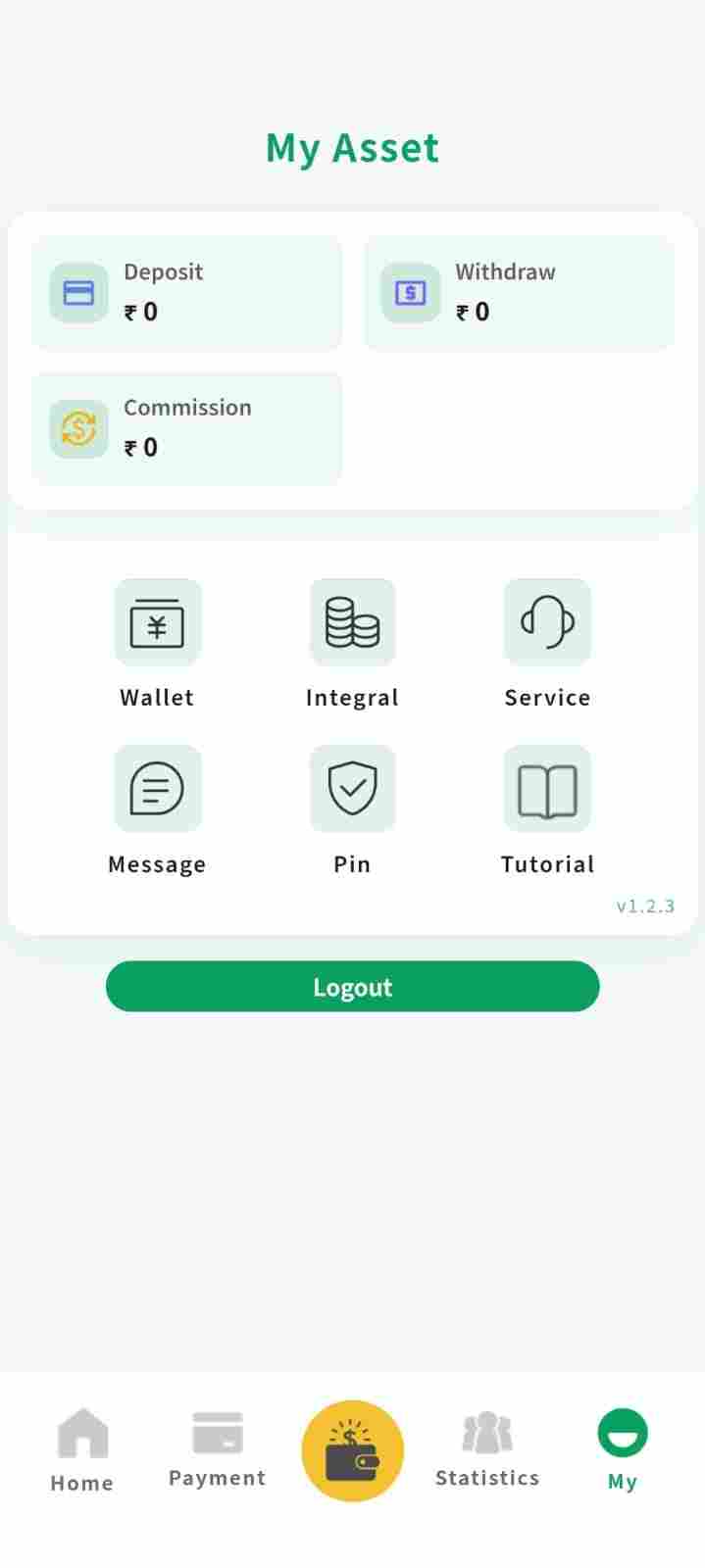
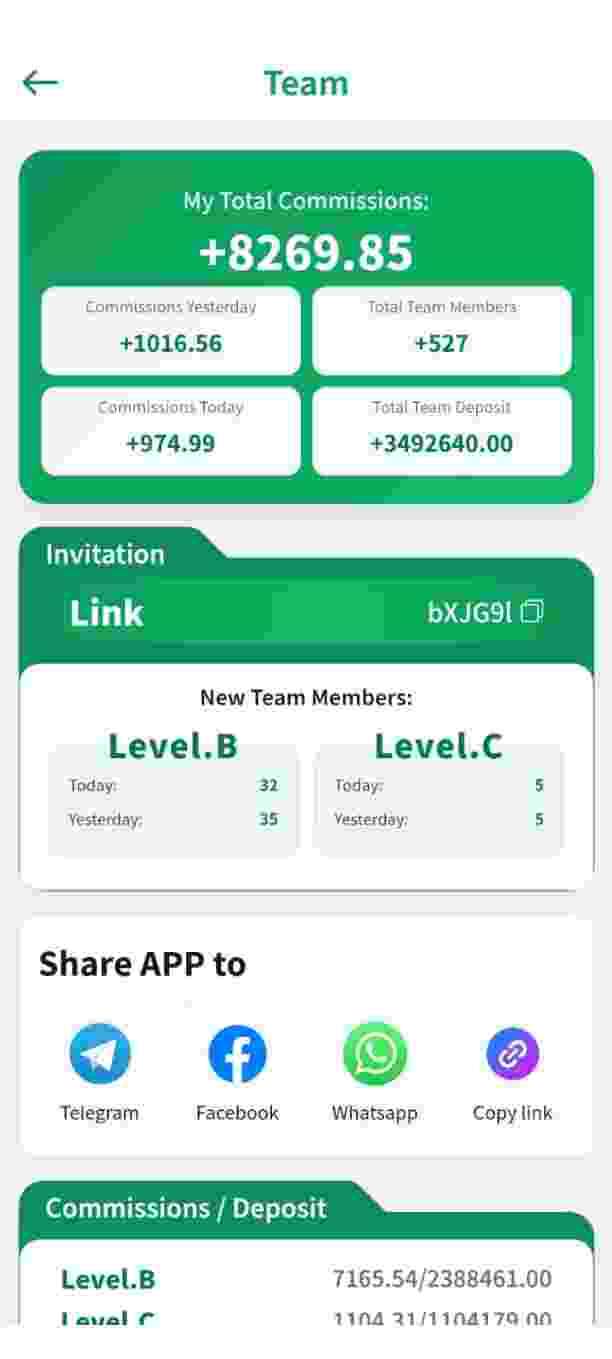
What is ComePay?
ComePay is a peer-to-peer (P2P) token trading and wallet application designed for Android users across India. The platform connects buyers who wish to purchase digital tokens with sellers looking to offload them. All payments are settled directly between the two parties through UPI, while the app handles order matching and charges a commission upon successful completion of each trade.
Getting started requires no upfront deposit. Simply register using your mobile number, create a secure password, confirm your identity with an OTP, and you are ready to begin trading on the same day.
Every transaction on ComePay is processed through UPI, ensuring direct fund transfers. The built-in referral programme rewards users with commissions on purchases made by people they invite. Stay connected with the community through the official Telegram channel for the latest updates and discussions. To learn more about the team behind this guide, head over to the About ComePay page.
Why Do People Use ComePay?
Users are drawn to ComePay primarily because of its straightforward setup and the fact that payments flow directly between individuals. There is no lengthy KYC process, no initial deposit requirement, and no complicated trading interface to navigate.
- No upfront investment: Begin trading tokens without spending a single rupee to start
- Direct UPI payments: Funds transfer straight from buyer to seller – the platform never holds your money
- Referral programme: Earn 1% lifetime commission on purchases made by users you bring in (per app terms)
- Round-the-clock in-app support: A dedicated support team is accessible inside the app at all times
- Active community: A Telegram group where traders exchange insights, tips and updates
- User-controlled funds: ComePay operates as a matching service, not as a custodian of your money
Understanding P2P Trading on ComePay
If token trading is new to you, here is a breakdown of how the entire model functions before you commit any money.
- What does P2P mean? Peer-to-peer trading means you deal directly with another person. ComePay simply matches you with a suitable buyer or seller – the actual payment happens between the two of you.
- What exactly are tokens? Tokens are digital units that can be purchased, held, and sold within the app. Their price fluctuates based on supply and demand, similar to any other tradable asset.
- How does a trade take place? A seller posts tokens at a set price, a buyer accepts the offer and pays the seller via their UPI ID directly, the seller confirms receiving the payment, and the tokens are transferred instantly.
- What risks should I know about? Token values can rise or fall unpredictably, and every trade depends on both parties acting honestly. Make sure to read the User Safety Guide before placing your first order.
Most new users are able to finish their first small trade within minutes of completing registration.
How to Download and Install the ComePay App – Step by Step
The entire download and installation process takes roughly two minutes on any compatible Android phone. Here is how to do it:
- Confirm compatibility: ComePay requires Android 5.0 or newer. Ensure you have at least 50MB of free storage space.
- Visit the official site: Open comepay.org in your mobile browser
- Get the app: Tap the Download button on this page to obtain the latest ComePay app file
- Enable unknown sources: Go to Settings > Security and turn on "Install unknown apps" for your browser
- Install the app: Open the downloaded file and tap Install. Wait for the process to complete.
- Verify the installation: After installing, confirm that the app name and icon display "ComePay"
- Create your account: Launch the app and follow the registration steps using your mobile number and OTP
Installation not working? Clear some storage space, ensure "Unknown Sources" is enabled for the correct browser, or re-download the file and attempt installation again.
iPhone users: ComePay is currently available exclusively for Android devices. An iOS version is being evaluated – follow the Telegram channel for announcements.
ComePay Register – How to Create Your Account
Setting up your account is completely free and can be done in under two minutes. Follow these steps:
- Download and launch the ComePay app from the official website
- Tap Register on the welcome screen
- Type in your +91 mobile number
- Set a strong password (combine letters, numbers and special characters)
- Enter a referral code if you have one – this activates the joining bonus
- Confirm your identity with the OTP sent to your mobile
- Complete the one-time profile setup and you are all set to trade
Keep your mobile number accessible for future logins – it serves as your ComePay ID. If you run into any trouble, refer to the troubleshooting section below or reach out through in-app support.
ComePay Login – How to Log In with OTP & Password
Accessing your account again is simple. Open the app, type in your registered mobile number, and verify either through the OTP delivered to your phone or by entering the password you created during registration.
- Launch the ComePay app on your device
- Enter your registered mobile number (+91 India)
- Verify using OTP or type your secure password
- Enter your referral code if applicable (to claim the joining bonus)
- Access your dashboard and start buying or selling tokens
How to Buy Tokens on ComePay
Purchasing tokens is a straightforward process that typically takes less than five minutes:
- Log in and navigate to the Buy section from the main menu
- Browse through the list of sellers and select a price that works for you
- Enter the token quantity and the total amount you want to spend
- Send payment directly to the seller's UPI ID
- Tap the "I Have Paid" button to notify the seller of your payment
- Once the seller confirms receipt, tokens are credited to your wallet instantly
How to Sell Tokens on ComePay
Selling follows the same process in reverse, and payments arrive in your UPI-linked account instantly:
- Open the Sell section within the ComePay app
- Set your token quantity and your preferred selling price
- Wait for a buyer to accept your offer
- The buyer sends payment to your UPI ID
- Check your bank or UPI app and verify that the money has arrived
- Tap Confirm Payment to release the tokens to the buyer
- The platform deducts its commission automatically and your remaining balance is updated
How to Verify a UPI Payment Before Releasing Tokens
This one habit can protect you from the vast majority of P2P fraud. Before you release tokens to any buyer, always follow these steps:
- Open your own UPI or bank app – never rely on a screenshot sent by the buyer
- Verify the exact amount matches the order total, including any decimal figures
- Confirm the sender name and UPI ID match the buyer's profile shown in the app
- Ensure the transaction status shows "Success" in your statement, not "Pending"
- Only after all checks pass should you tap Confirm Payment inside the ComePay app
Payment screenshots can be forged within seconds. Your bank statement cannot be faked. If anything appears suspicious, raise an in-app appeal immediately and do not release the tokens. Additional tips are available in the User Safety Guide.
How to Withdraw Earnings from ComePay
Withdrawing your earnings is a hassle-free process. Most requests are processed within 24 to 48 hours:
- Open the Withdraw section from the app menu
- Enter the amount you wish to withdraw (minimum ₹100 – ₹200)
- Select your UPI-linked bank account
- Review the details carefully and confirm the request
- Track your withdrawal status from the Withdrawal History page
- Funds are deposited directly into your bank account once processing is complete
How the ComePay Earning Model Works
There are three primary ways users generate earnings on ComePay, and most active participants combine at least two of these methods:
- Trading: Purchase tokens at a price you find acceptable and sell when the market moves favourably. A commission of 2% to 6% is deducted automatically upon completion of each trade, as per app terms.
- Referrals: The app provides a 1% lifetime commission on purchases made by users you invite, along with milestone bonuses at 10, 25, 50, and 100 referrals.
- Volume-based rewards: Active traders may qualify for additional volume-based commissions on their monthly trading activity, as per app terms.
A word of caution: none of this constitutes guaranteed income. Your actual earnings depend on trading activity, market conditions and the growth of your referral network.
ComePay Referral Programme – How It Works
The referral programme allows you to earn from your network without increasing your trading volume. Share your referral code with friends and family, and every purchase they make earns you a 1% lifetime commission. As your network expands, milestone bonuses kick in:
| Referral Level | Commission | Bonus Reward |
|---|---|---|
| Per Referral Signup | ₹25 Instant Bonus | -- |
| 1 to 10 Referrals | 1% Lifetime on Purchases | -- |
| 10 Referrals | 1% Lifetime | 500 Extra Tokens |
| 25 Referrals | 1% Lifetime | 1500 Bonus Tokens |
| 50 Referrals | 1% Lifetime | 3500 Bonus Tokens |
| 100 Referrals | 1% Lifetime | 7000 Bonus Tokens + ₹500 Cash |
You can locate your personal referral code inside the app under Referral > My Code.
ComePay Fees – What Does Trading Cost?
- Registration: Completely free – no charge to set up an account
- Deposits: Not applicable – ComePay does not require any deposit to get started
- Trade commission: 2% to 6% deducted automatically upon completion of each trade
- Withdrawals: No platform fee – the amount you request is the amount you receive
- Referral payouts: Credited directly to your wallet balance with zero processing fee
Pros and Cons of ComePay
| Pros | Cons |
|---|---|
| No investment needed to begin trading | Not registered with RBI or SEBI |
| P2P model – platform never touches user funds | Distributed outside the Play Store (direct download only) |
| UPI payments flow directly between buyer and seller | Risk of phishing from fake websites – use only comepay.org |
| Active Telegram community for discussion and support | Users must manually verify every payment before confirming |
| Built-in dispute resolution and appeal system | No public customer care phone number (anti-scam measure) |
| Quick onboarding with no deposit requirement | Not a guaranteed income source – results depend on effort |
ComePay vs Other Trading Platforms
| Platform | Model | KYC & Deposit | Best For |
|---|---|---|---|
| ComePay | P2P via UPI | No KYC, Zero deposit | Direct user-to-user trading |
| CoinDCX | Central exchange | KYC + deposit | Buying crypto via an exchange |
| WazirX | Exchange + P2P | KYC + deposit | Wide token selection |
| CoinSwitch | Aggregator | KYC + deposit | Simple investments |
How ComePay stands apart: Traditional exchanges operate through a central order book and typically require both KYC verification and an initial deposit. ComePay takes a purely P2P approach – you trade directly with other users via UPI, and no deposit is needed to start.
Points to Consider Before You Trade on ComePay
- Download source: Use only comepay.org for obtaining the app.
- Regulatory status: ComePay is not registered with RBI or SEBI.
- Payment flow: P2P model – payments happen directly between users via UPI.
- Support channel: Support is accessible only inside the app; there is no public phone number.
- Risk level: Token prices fluctuate, and earnings are never guaranteed.
Final note: Trade only with money you can comfortably afford to lose, and begin with small amounts until you fully understand how the platform operates.
Regulatory Status – What You Should Know
- Not regulated: ComePay and its tokens are not registered with RBI or SEBI
- No deposits or gambling: The model is based on direct user-to-user trades via UPI
- UPI payments: Processed by banks under standard UPI rules
- Your responsibility: Consider consulting a professional before trading if you have questions
- Educational content: This page is not legal or financial advice
See our full Disclaimer for details.
ComePay Security – Safety Tips for Every User
- Verify every payment: Never release tokens until you have personally confirmed the UPI payment in your bank app.
- Never share OTP or password: ComePay support will never ask for these. Anyone who does is a fraudster.
- Use a strong password: Create a unique password and update it every few months.
- Download only from comepay.org: Fake apps with similar names are circulating online.
- Use the in-app appeal system: If a trade goes wrong, raise a dispute through the app right away.
- Keep the app updated: Always install the latest version from the official website.
Read the complete User Safety Guide for more detailed protection tips.
Common Scams Around ComePay & How to Avoid Them
- Fake customer care numbers: ComePay has NO public phone number – support is only available inside the app.
- Fake download websites: Clone sites with similar-sounding names try to distribute malware. Only comepay.org is linked from this guide.
- Fake Telegram admins: Scammers create groups using the ComePay name and demand deposits.
- Advance-fee fraud: Anyone asking you to pay to "unlock withdrawals" or "activate your account" is lying.
- Buyer/seller payment tricks: Always check your own UPI app before confirming any transaction.
Full details are on the User Safety page.
Risks & Responsible Trading
- Price fluctuation: Tokens can gain or lose value at any time. Only trade with amounts you are prepared to lose.
- Unregulated activity: ComePay is not registered with RBI or SEBI.
- No guaranteed income: Earnings depend entirely on your trading activity and referral network.
- Impersonation scams: Fake websites and Telegram groups misuse the ComePay name.
- Manual verification: In P2P, you confirm payments yourself. Skipping a step can lead to disputes.
Key Features of the ComePay App
- Zero investment: Start trading tokens without any upfront deposit
- P2P trading model: Direct buy/sell between users via UPI payments
- Referral system: 1% lifetime commission plus milestone bonuses
- Withdrawal: UPI and bank transfers, typically processed within 24 to 48 hours
- 24/7 in-app support: Live chat for dispute resolution and trading assistance
- Lightweight app: Runs smoothly on Android 5.0 and above devices
- Appeal system: Raise disputes inside the app when a trade goes wrong
ComePay – App Version History & Updates
| Version | Release Date | Key Updates |
|---|---|---|
| v1.0.0 | 17 September 2026 | Initial release with P2P trading, UPI payments, referral system and in-app support |
Common Issues and Fixes – ComePay Login and App Problems
- OTP not arriving: Check your network signal, disable any VPN, restart your phone, and try again
- Login failed: Clear the app cache, reset your password, or reinstall the app
- App crashing: Reinstall the latest ComePay version from the website
- Slow loading: Free up storage space on your device
- Payment pending: Message the other party directly or raise an in-app appeal
- Withdrawal delayed: Check your bank details, then raise an in-app appeal if it crosses 48 hours
How to Contact ComePay Customer Support
Need assistance? Use the in-app live chat – it is the only official support channel and it operates 24/7. ComePay deliberately has no public phone number as an anti-scam measure. Any "customer care number" you find online is fake.
For website-related queries, you can also visit our Contact Us page.
Contact ComePay SupportComePay – What Users Commonly Report
- UPI settlements: Many users report that trades and withdrawals complete within a day or two
- Simple onboarding: Beginners frequently mention how easy registration and the first trade are
- Referral earnings: Some referrers report that lifetime commissions are credited on time
- Support response: Users appreciate the in-app appeal system for resolving disputes
Frequently Asked Questions
01 Is the ComePay app available on iPhone?
Not at this time. ComePay is currently built for Android 5.0 and above. iPhone users can follow the Telegram channel for updates on iOS availability.
02 What is the minimum withdrawal amount on ComePay?
The minimum withdrawal ranges between ₹100 and ₹200, depending on the token type and the payment method you choose.
03 Can I have more than one ComePay account?
No. One account per person and per mobile number is the standard policy, and operating multiple accounts may result in a permanent ban.
04 What should I do if a payment is pending or a trade fails?
Message the other party directly from the order page first. If unresolved, raise an in-app appeal within 24 hours and the support team will investigate.
05 Is there a public customer care number for ComePay?
No. ComePay has no public phone number on purpose. Support is available only through the in-app live chat, which runs 24/7.
06 How do I find my referral code?
Open the app and go to Referral > My Code. Your personal referral code and share link are displayed there.
07 What should I do if my OTP is not arriving?
Check your network signal, disable any VPN, restart your phone, and clear the app cache. If the issue persists, raise it with in-app support. More fixes are in the troubleshooting section.
Disclaimer – Information Only, No Earning Guarantee
ComePay.org is an independent informational website. The content published here is provided for general information and educational purposes only. This website does not ask, encourage, or instruct anyone to play games, gamble, trade, deposit money, or participate in any activity.
No Income or Earning Guarantee: We do not promise or guarantee earnings, profits, rewards, withdrawals, or financial returns. Any platform features, offers, or user experiences described on this website may change and should be verified directly with the relevant service provider. Results, if any, can vary and are never assured.
No Financial Advice or Affiliation Claim: Nothing on this website should be treated as financial, investment, legal, or professional advice. Do your own checks before using any third-party app or service. Never share your password, OTP, UPI PIN, or banking credentials with anyone.
By using this website, you understand that you are responsible for your own decisions. ComePay.org is published only to provide information and does not endorse or guarantee any activity or outcome.